This is my first article, and the blog system was only recently set up. XBlog is a frontend-backend separated application that relies on Golang and npm. Now I will document how to install from scratch, in great detail. As of June 3, 2022, I have moved and am no longer using XBlog, but I still want to document this article.
1: Enter the /usr/local directory, and copy the following two commands into the command line.
2: Configure the environment
Press G to go to the bottom, and add the following content:
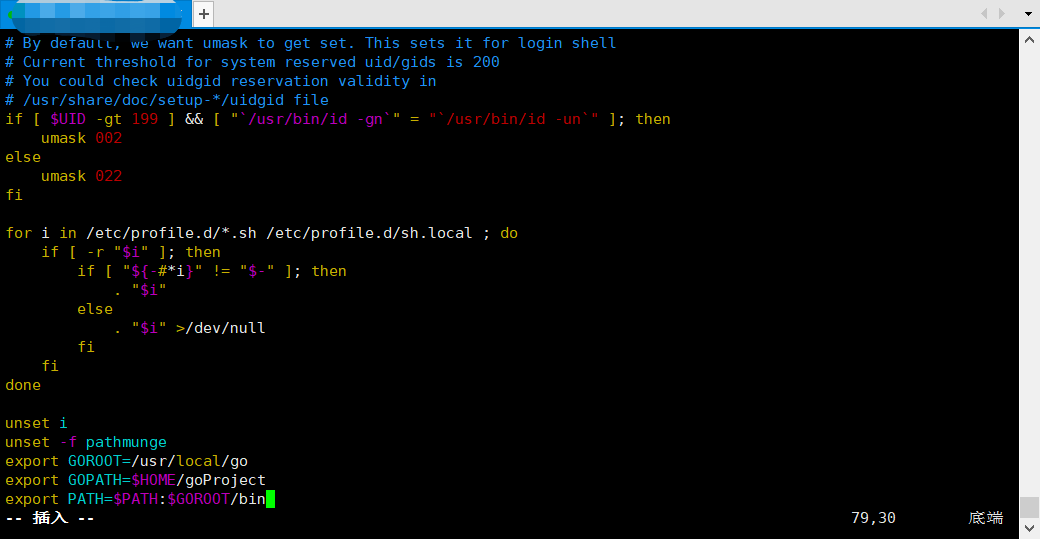
614102618.png
3: Reboot
Type reboot to restart, then run go version to check whether a version number is displayed; if a version number is shown, that means success.

3602837496.png